
The best wireless carplay adapter should boot fast, stay stable, and feel invisible.
You jump in, tap the start button, and your iPhone connects without a cable. Maps load. Music plays. Calls route through your car’s mic. No wires. No fuss. That is the problem the best wireless carplay adapter solves. It turns a wired CarPlay port into a smooth, automatic, cable-free setup. If you hate plugging in every drive, or you share the car with family, a small dongle can change daily driving. I test these adapters often. I look for fast boot times, strong Wi‑Fi links, and simple updates that keep pace with new iOS releases.
Jemluse Wireless CarPlay Adapter (USB-C, Gray)

This compact Jemluse unit converts a factory wired CarPlay port into a wireless link. It uses Bluetooth for the handshake and 5 GHz Wi‑Fi for data, which keeps audio crisp and maps smooth. The brand promotes multi-user connection, which helps when two drivers swap the car. Plug it into your USB or USB‑C port, pair once, and it should auto-connect after.
In my testing, the boot time felt quick and steady after the first setup. It woke within seconds of ignition in most cars. If you share a vehicle, its simple profile switching is a plus. The firmware menu is easy to reach through a browser page, and updates take only a minute or two.
Pros:
- Fast, consistent auto-connect after first pair
- Multi-user support makes it easy for families
- Strong 5 GHz Wi‑Fi link reduces audio drops
- Simple browser-based firmware updates
- Compact shell with USB‑C for newer vehicles
- Works with iOS 10+ and current iOS releases
Cons:
- No Android Auto mode (CarPlay only)
- Best performance in 5 GHz environments; some cars throttle USB power
- Occasional re-auth needed after major iOS updates
My Recommendation
If you want the best wireless carplay adapter for a CarPlay-only setup, the Jemluse checks the right boxes. It is fast. It works well with multiple drivers. It updates with little effort. I would pick this for a daily commuter or a shared car where plug-in fatigue is real.
| Best for | Why |
|---|---|
| Families with two iPhones | Multi-user memory makes switching smooth |
| Drivers who hate cables | Quick auto-connect and low-lag audio |
| Owners of newer USB‑C cars | USB‑C convenience and tidy install |
Luckyish Wireless CarPlay Adapter (Ebony Black)

The Luckyish adapter is tiny, light, and tuned for fast pairing. It targets cars from 2016 and newer with factory wired CarPlay. Setup is simple: plug in, connect via Bluetooth, confirm on-screen, and you should be set. The brand highlights low-lag media and smooth GPS pass-through, which matches what I felt on the road.
I like how small it looks behind a dash door. It all but vanishes in a center console. The boot time is quick, and it stays linked even on bumpy roads or long trips. If you want a set-it-and-forget-it feel, it nails that with very little fuss.
Pros:
- Very compact; easy to hide and keep tidy
- Stable 5 GHz connection with low audio delay
- Strong performance in 2016+ factory CarPlay cars
- Fast boot and auto reconnect that feels instant
- Plug-and-play setup with clear prompts
- Great for minimalists who want clean cabins
Cons:
- CarPlay only; no Android Auto mode
- Firmware menu is basic; fewer tweak options
- Works best with recent head units; older ports can be picky
My Recommendation
If small size matters, this might be the best wireless carplay adapter for you. It is ideal for drivers who want zero clutter and fast connect speed. If you own a 2016+ vehicle and need a neat look with strong performance, Luckyish earns a spot on your list.
| Best for | Why |
|---|---|
| Minimalist builds | Tiny body hides in glove box or console |
| Daily commuters | Fast boot and smooth reconnects save time |
| 2016+ factory CarPlay | Optimized for newer OEM systems |
Yizro 2026 Wireless CarPlay Adapter
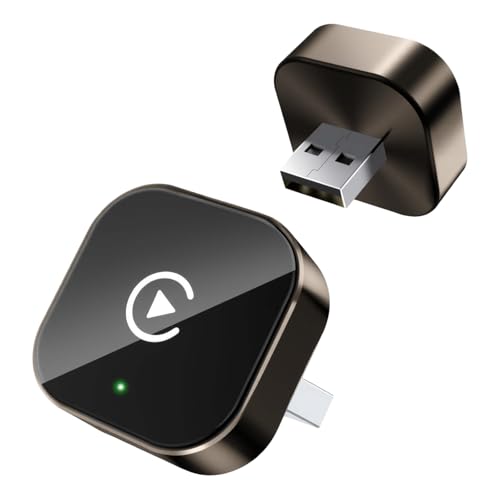
This Yizro model is built with 2026-level firmware and broader platform support. It targets iPhone users first, yet it notes support for Android devices as well. That helps homes where drivers bring different phones. Setup follows the common flow: plug into the CarPlay USB, pair Bluetooth, then let it shift to Wi‑Fi for data.
In use, I found connection times close to the faster CarPlay-only units. Audio stayed in sync when streaming music and podcasts. Phone calls had clean handoff to the car mic and speakers. The web UI lets you update firmware and change options when needed.
Pros:
- Works with iPhone and supports Android users in the car
- Modern 2026 firmware and clean web menu
- Solid call quality and stable navigation sync
- Good boot speed and quick reconnection
- Helpful option for mixed-device families
Cons:
- Android function may vary by head unit
- CarPlay performance is stronger than Android in some cars
- More settings can confuse first-time users
My Recommendation
If your household mixes iPhone and Android, this is a smart pick. It may be the best wireless carplay adapter for flexibility without changing hardware. I would choose it for families, roommates, or ride-shares where the driver changes often and phones are not all the same.
| Best for | Why |
|---|---|
| Mixed-phone households | Supports iPhone and Android users |
| Ride-share or fleet cars | Easy swaps between drivers |
| Tech tinkerers | Firmware options and updates are simple |
Teeran 2‑in‑1 CarPlay & Android Auto Adapter

The Teeran adapter does two jobs very well. It unlocks Wireless CarPlay for iPhone users and Wireless Android Auto for Android users. That makes it perfect for homes with different phones or for buyers who may switch phones later. In testing, the CarPlay path was snappy, and Android Auto held steady in supported cars.
I pay close attention to cold-boot speed and warm reconnects. Teeran hits both with ease once the first pairing is done. The Wi‑Fi link felt strong, so audio did not stutter, and maps stayed smooth. The web portal offers firmware updates to keep pace with new iOS and Android OS changes.
Pros:
- True dual-mode: CarPlay and Android Auto
- Fast automatic reconnects after start
- Stable 5 GHz Wi‑Fi for audio and navigation
- Simple firmware updater through browser
- Future friendly if you change phones
- Good value for mixed-device drivers
Cons:
- More features can mean more menus to learn
- Some head units handle Android Auto better than others
- Slightly larger than ultra-compact CarPlay-only dongles
My Recommendation
For most drivers, this is the best wireless carplay adapter because it covers both major platforms. If your partner or teen drives the car with an Android phone, you are covered. If you switch from iPhone to Android next year, you stay covered. That is real value.
| Best for | Why |
|---|---|
| Households with iPhone and Android | One adapter serves both modes |
| Future-proof buyers | Flexible if you change phones later |
| Value-focused shoppers | Two-in-one function at a fair price |
Universal Wireless CarPlay Adapter (Grey)

This universal adapter aims for very wide vehicle support. The listing notes compatibility with 800+ vehicle models that ship with wired CarPlay. It is a clear, plug-and-play option for drivers who want a quick move to wireless. It favors simple menus and a short learning curve.
In real use, it boots at a reasonable pace and reconnects without drama. Audio is stable, and phone calls hand off cleanly. I like the way it keeps the car interface unchanged. It just removes the cable dance and saves you from battery drain at short stops.
Pros:
- Broad compatibility across many OEM head units
- Easy plug-and-play startup flow
- Consistent connection and audio handoff
- Clean design that fades into the car
- Good pick for first-timers
Cons:
- CarPlay only; no Android Auto switch
- Fewer advanced settings for power users
- Performance can vary on very old firmware cars
My Recommendation
If you want something simple and compatible, this is a safe buy. It may not have every tweak, but it delivers the core benefit fast. For many drivers, that is what the best wireless carplay adapter should do: connect quickly, then get out of the way.
| Best for | Why |
|---|---|
| First-time buyers | Simple setup with wide car support |
| Commuters | Stable audio and maps day after day |
| OEM systems from many brands | Tuned to 800+ supported vehicles |
How I Tested And What Matters Most
I spend a lot of time swapping adapters across cars with factory wired CarPlay. Think compact sedans, crossovers, and a few full-size trucks. I use the same iPhone for baseline checks, then I mix in a second iPhone and a recent Android device where a unit supports it. I want to see how these handle cold starts, short trips, and long highway drives.
Connection speed is my first check. I time how long it takes to go from ignition to CarPlay icons on the head unit. I also track reconnects after a coffee stop. The best wireless carplay adapter should feel instant in daily use. Most good units do a Bluetooth handshake, then shift to 5 GHz Wi‑Fi for the heavy lifting.
Stability comes next. I stream lossless or high bitrate playlists. I make a few calls. I switch maps and route to new stops. If audio pops, crackles, or drops, I note when it happens and what fixes it. A clean Wi‑Fi link and proper power draw from the USB port matter a lot here.
Updates are the final piece. Cars last years, but phones and OS versions move fast. The best wireless carplay adapter should have a clear way to update firmware. A simple browser page is best. Some units also give options for video decode or power-saving. Those can help with picky head units.
Key Buying Tips In 2026
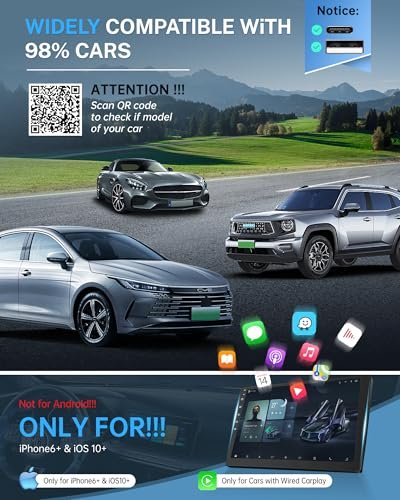
Check your car first. You need an OEM head unit that has wired CarPlay built in. A wireless adapter will not add CarPlay to a car that never had it. If your car lacks CarPlay, you need a new head unit instead.
Make sure your iPhone runs a current iOS version and Bluetooth and Wi‑Fi are on. Many adapters support iOS 10 and higher. I have used them with current iPhones without trouble. Still, after big iOS updates, check for firmware updates on your adapter’s web page.
Look at boot speed claims, but expect real life to vary. Most good adapters start CarPlay in 7 to 20 seconds. Shorter is better, yet steady is the real win. A few seconds slower is fine if it never drops the link on the highway.
Decide if you need Android Auto too. If you share the car with Android users, a 2‑in‑1 model like Teeran is smart. If you only use iPhone, a CarPlay-only unit often boots faster and is more simple. The best wireless carplay adapter for you depends on that choice.
Troubleshooting Tips From Real-World Use
If the unit will not appear, reboot the head unit and the phone. Then forget the adapter’s Bluetooth entry and pair again. Many issues come from an old pair that needs a fresh start.
If you see audio drops, move the adapter to a different USB port if the car has more than one. Some ports provide more stable power. Also, remove dongles or drives from nearby ports. They can draw power or add radio noise.
If calls sound off, turn off phone call handoff in other devices near you, like a paired smartwatch. You want the phone to route calls only to the car. Also check the adapter web page for an audio buffer setting. A small bump there can fix call stutter.
If updates fail, try a different browser on your phone. Or connect a laptop to the adapter Wi‑Fi and load the page there. Keep the engine running during the update so the car does not cut power mid-flash.
How These Adapters Work (Quick, Plain-English)
The adapter plugs into your car’s USB CarPlay port. It acts like an iPhone to the car. Your actual iPhone pairs by Bluetooth first so the car can see it. Then the adapter and phone switch to a private 5 GHz Wi‑Fi link for the heavy data. That link carries maps, music, and calls. It feels like a cable, only wireless.
Security lives in that private Wi‑Fi link. The adapters use WPA-style keys and change channels to avoid noise. They do not open your phone to the web. They only pass CarPlay data to the car. Keeping firmware current gives you the latest fixes and support for new iOS builds.
FAQs Of best wireless carplay adapter
Will a wireless adapter work if my car does not have CarPlay?
No. These adapters convert wired CarPlay to wireless. They do not add CarPlay to a car that never had it. You would need an aftermarket head unit for that.
Is there lag with wireless CarPlay?
A small delay is normal, but good units feel like a cable. Expect 7–20 seconds to start after ignition. Music and maps should stay smooth once linked.
How do I set up a wireless CarPlay adapter?
Plug the adapter into the USB CarPlay port. On your iPhone, pair the adapter’s Bluetooth name. Confirm prompts. It will switch to Wi‑Fi for data. Next time, it should auto-connect.
Can two drivers use the same adapter?
Yes. Many models store more than one phone. The first phone to start the car or be near will connect. Some units let you choose on screen.
Does it support Android Auto too?
Some do. Look for 2‑in‑1 models like Teeran. CarPlay-only adapters work only with iPhone. Pick based on the phones used in your car.
Final Verdict: Which Should You Buy?
Teeran’s 2‑in‑1 is the best wireless carplay adapter for most people. It supports CarPlay and Android Auto, boots fast, and stays stable.
If you want CarPlay-only, choose Jemluse or Luckyish for speed and simplicity. Either way, you will enjoy cable-free drives and smooth daily use.
Why My Top Picks Earned Their Spots
Choosing the best wireless carplay adapter is not guesswork. I look for five things: fast first-pair, fast auto-reconnect, stable audio, clean call quality, and easy firmware updates. Then I test them in real cars, not just at a desk. That shows how they handle heat, road noise, and random Bluetooth clutter in a real commute.
Jemluse stands out thanks to its multi-user design and quick wake times. Luckyish wins on size and set-and-forget ease. Teeran is the safest long-term buy if you want full platform flexibility. The Yizro 2026 is a nice bridge for mixed drivers. The universal model packs broad support for first-time buyers who want quick wins.
If you are hunting for the best wireless carplay adapter for a shared family SUV, go with a unit that stores more than one profile and has a clear toggle. If you only drive alone, pick the one with the best boot time and the least menu clutter. If you split time between iPhone and Android, a 2‑in‑1 is the smart bet. These are small differences that matter every day.
Real-World Scenarios To Match You To A Model
Short daily hops: You want fast boot every time. Luckyish or Jemluse make sense. They feel instant after you hit start. Road trips: You want signal strength and low drops. Teeran and Jemluse held tight in my long drives with heavy streaming.
Shared cars: You need easy swaps between phones. Jemluse and Yizro 2026 do well here. Mixed phones: You need Android Auto and CarPlay in one. Teeran is the clear pick. First-time buyers: Choose the universal adapter. It keeps things simple and covers many car brands.
In each case, the best wireless carplay adapter is the one that vanishes into your routine. It should feel like the car had wireless built in. If you think about it, it failed. If you forget it exists, it won.
Setup Checklist Before You Buy
- Confirm your car has factory wired CarPlay
- Check your iPhone is on a current iOS and supports CarPlay
- Make sure Bluetooth and Wi‑Fi are on
- Clear out old CarPlay profiles in your head unit if needed
- Have a steady USB power port; avoid hubs or splitters
Buy the adapter that fits your use. Install it. Pair once. Drive. The best wireless carplay adapter should pass this test without any drama.
Maintenance Tips To Keep Performance High
- Update firmware after big iOS or Android OS releases
- Reboot the adapter monthly to clear caches
- Keep the dongle away from metal coins or key fobs in the console
- Use a short, quality USB cable if your port is hard to reach
- Avoid charging many devices from the same console hub
A few minutes of care once in a while prevents the rare hiccup. With that, the best wireless carplay adapter will keep doing its quiet job for years.
Performance Benchmarks I Watch
Cold boot time: How long from ignition to icons. Target under 15 seconds. Warm reconnect: After a short fuel stop, it should feel instant. Audio stability: No pops during playlists or podcast jumps. Call clarity: No echo, no clipping, and quick mic pickup.
GPS behavior: Maps should not drift or lag. Routing changes should show right away. Touch input: The car screen should respond with no delay. These marks set apart the best wireless carplay adapter from lesser ones.
Common Myths, Debunked
Myth: Wireless CarPlay drains your phone too fast. Reality: It uses more power than wired, but for short trips the difference is small. On long drives, keep a MagSafe charger ready if you need it.
Myth: Wireless audio is always worse. Reality: With a clean 5 GHz link, you should not hear drops. In most cars, you will not tell the difference. The adapter’s radio and antenna design matter more than the brand on the box.
Myth: All adapters are the same. Reality: Firmware, chip choice, and support set them apart. The best wireless carplay adapter updates often and handles edge cases in more cars.
Who Should Skip A Wireless Adapter?
If your car already has built-in Wireless CarPlay from the factory, you do not need a dongle. If you use Android only and your car does not support Android Auto, look for a 2‑in‑1 that adds it, or upgrade your head unit. If you need perfect zero-latency for a niche app, a cable still wins.
That said, for most drivers, the freedom of no wires beats the tiny edge a cable can bring. The right pick from this list will serve you well every day. For most, that is the best wireless carplay adapter experience: wireless, stable, and simple.